
🎨 Game Art
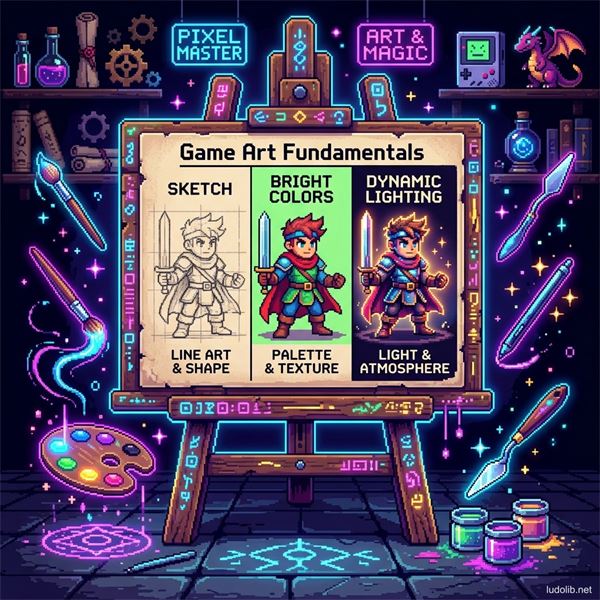 Illustration: A single frame is the synthesis of Form, Lighting, Color, and Composition — intentionally arranged to tell a story.
Quick Summary
Game Art is not simply making a game look “beautiful”. It is the process of building a Visual Language to implicitly communicate with the player. From suggesting paths, warning of danger, to portraying character personalities without using a single line of text.
To create breakthrough aesthetics for an interactive product, Game Artists must master and seamlessly combine the 6 foundational concepts below:
1. Concept Art & Ideation
Everything begins with Concept. This is the stage of distilling the soul of the game before any 3D model or line of code is written.
- Core Aesthetic: Does the game have a Cyberpunk, Goth-fantasy, or nostalgic Pixel Art style? Concept determines the overall Mood & Tone.
- Consistency: If a Cartoon-style character wields an ultra-realistic gun, this dissonance will immediately break the player’s Immersion.
2. Shape & Form
The human brain recognizes shapes before recognizing colors or details. The language of shapes communicates directly with the subconscious:
- Circles: Evoke softness, safety, friendliness (Example: Kirby, Mario).
- Squares: Evoke solidity, rigidity, reliability, or heaviness (Example: Tanks, heavily armored knights).
- Triangles: Represent sharpness, speed, danger, or aggression (Example: Villains often have pointy designs, vampires, Bowser).
3. Composition
Composition is the art of arranging objects in the display space (screen frame) to guide the player’s eyes. In an interactive environment, composition must continuously change according to the user’s viewing angle (Especially 3D environments designed by Level Designers).
- Rule of Thirds: Placing important elements at the intersections of a 1/3 grid to create natural balance.
- Leading Lines: Using architecture, lighting, or environmental lines to point the way for players so they know where to go next without using blunt pointing arrows.
- Focal Point: The most prominent area on the screen that attracts attention first (Example: A giant boss, a glowing door).
4. Lighting & Shadow
Light isn’t just used to see objects; it’s the most powerful tool to establish Emotion.
- Contrast: The difference between light and dark areas helps separate characters from the Background.
- High-key vs Low-key: High-key (Bright) lighting creates a safe, cheerful feeling. Low-key (Dark, shadowy) lighting creates tension, mystery (often seen in Horror games).
- In Game Engines, real-time lighting rendering (Real-time Rendering / Ray-tracing) is one of the biggest technical hurdles affecting FPS.
5. Color Theory
Color is the keyboard of emotion. A carefully selected Color Palette can shape the entire experience:
- Color Temperature: Warm tones (Red, Orange, Yellow) evoke explosion, passion, or danger warnings. Cool tones (Blue, Green) bring a sense of peace, solitude, or eeriness.
- Color Coding: Assigning a specific color to a function. (Example: Red is always explosive barrels or damage; Green is always healing). This rule demands absolute consistency (According to rule number 3 in 10 Game Design Rules).
6. Visual Storytelling
The pinnacle of Game Art is Environmental Storytelling — an important part of Narrative Design. A messy room with scratch marks on the wall, an overturned chair, and dried blood on the floor can tell a horror story in more detail than any NPC dialogue. Every object (Prop), scratch (Decal), or dim light is a word in the game’s visual novel.
🔭 Exploring Art Branches
Foundation & Production Pipeline
- Concept Art — The initial step shaping the visual language of the whole project
- Character Design — Character design: silhouette, shape language, color palette
- Prop Design — Designing props and objects in the game world
- 3D Modeling Pipeline — Process from High-Poly sculpt to complete PBR texture
- Texture Mapping & UV — Mapping textures onto 3D surfaces, UV unwrapping
- Skeletal Animation & Rigging — Digital skeleton and 3D character movement
- Sprite & Animation — 2D animation techniques: sprite sheets and frame-by-frame
Pre-production & Cinematic
- Storyboard & Animatic — Scene breakdown and test version before official production
- Cutscene Design — Cinematic scene design in games
- Matte Painting — Large-scale background painting, epic landscapes
Visual Language
- Color Science — Physical nature of light and color systems (RGB, HSB)
- Color Palette & Mood — Applying color palettes to establish emotion
- Lighting Design — Light as a storytelling and guiding tool
- Environmental Storytelling — Telling stories through space, not dialogue
- Particle Effects & VFX — Particle effects and visual feedback
Interface & Presentation
- UI UX Design — The art of interactive interface design
- Material Design (UI) — Flat design and shadowing philosophy for mobile games
- Typography — Typeface as a visual language in games
Reference & Context
- Art Styles — Vocabulary of graphic styles (Pixel, Voxel, Low-Poly…)
- Sound Design — Fragmentation of audio art
- Game Artist — Artist titles in the industry