
🎮 Controller
Quick Summary
A Controller is a hardware peripheral device that functions to translate the mechanical actions of the user’s hand into electronic signal parameters (Input) to navigate display elements within the game software system.
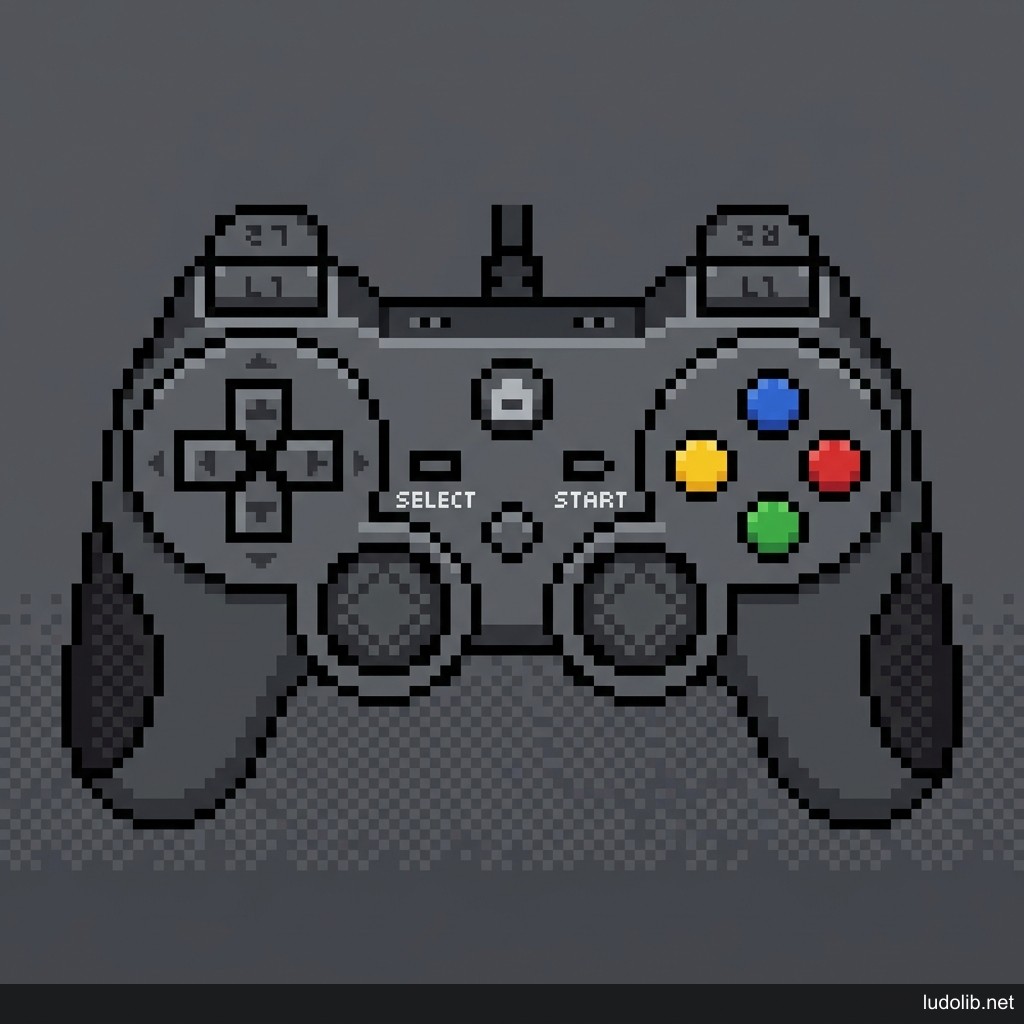 Illustration: The front-facing structural layout of a standard Gamepad.
🗺️ Button Layout & Functions (Controller Layout)
Below is the functional diagram and electronic operating principles of the buttons on a standard gamepad:
- D-Pad (Directional Pad): The cross-shaped button cluster on the left. Provides digital signals (Digital 0/1) (rigid/binary). Commonly used to navigate static Menus or quickly trigger secondary items (Quick Inventory).
- Left Analog Stick: The primary spatial navigation axis for the character. Provides linear signals (Analog) by measuring the degree of curvature from the center, allowing the system to calculate movement acceleration (whether the character walks slowly or runs fast depends on the pushing angle).
- Right Analog Stick: The camera/viewing angle navigation axis. Functions to control the player’s 3D perspective. Integrates a push-down button (L3/R3) used to activate Sprinting or Lock-on targeting.
- Action Buttons (A/B/X/Y): Located on the right, serving to execute basic interactive commands (Jump, Attack, Interact with objects).
- Bumpers / Shoulders (L1/R1): Located on the top edge, operated using the index fingers. Usually assigned to Tab-switching mechanics in Menus, or secondary actions like throwing grenades.
- Triggers (L2/R2): The pressure-sensitive trigger axis (Analog/Adaptive Triggers). Commonly used for Shooting actions or Vehicle Throttle. The depth of the finger’s squeezing force provides an Intensity parameter rather than a simple on/off toggle.
The Controller system is responsible for establishing the Haptic-Input Bridge. Depending on the controller’s design, the game’s sensor reception method will vary to properly respond to the limits of finger joints and nervous system reflexes.
Input Classification Structure
The peripheral control ecosystem is distinctly categorized based on the game system architecture (Platform):
- Console Standard Gamepad: The standard protocol allowing players to operate on the limited surface of 10 fingers. The game’s programming block (Game Engine) must calculate the curved movement zone of the Analog sticks to provide assistance like Aim Assist. Includes notable variants like the DualSense (Sony) or the Xbox Wireless Controller.
- Keyboard & Mouse (KBM): The flagship optical navigation platform for the PC Ecosystem. The mouse provides hyper-sensitive targeting crosshair feedback with DPI limit parameters, establishing absolute dominance for FPS games or Tactical Grid Management (RTS).
- Specialized Peripherals: Electronic steering wheel devices for Sim Racing, Arcade Sticks for Fighting games, or 3D spatial motion sensor navigators for VR Trackers.
Haptic Feedback Interface
The concept of the modern Controller has surpassed the threshold of a one-way reception device (Input only). The Force Feedback / Haptic System allows the hardware to structurally generate high-frequency vibrations to transmit interactive physical coefficients from the game back into the real world. The design of Adaptive Triggers on the DualSense can automatically increase physical mechanical resistance when the user pulls a virtual bowstring interface in the system, significantly boosting the haptic Immersion rate for the micro-gameplay loop.