
🗿 3D Modeling Pipeline in Games
TL;DR: The 3D Modeling Pipeline is a standardized process from sculpting a rough idea → optimizing the mesh for games → creating textures — to produce 3D assets that are both aesthetically beautiful and perform efficiently in a Game Engine. This is the backbone of graphics production in every modern 3D game.
When players see a detailed shield in a game, they’re looking at the end product of a complex multi-step process: from a model with millions of polygons carefully sculpted, optimized down to a few thousand polygons that still look great thanks to surface “baking” techniques. This is the unavoidable trade-off between artistic quality and hardware limits.
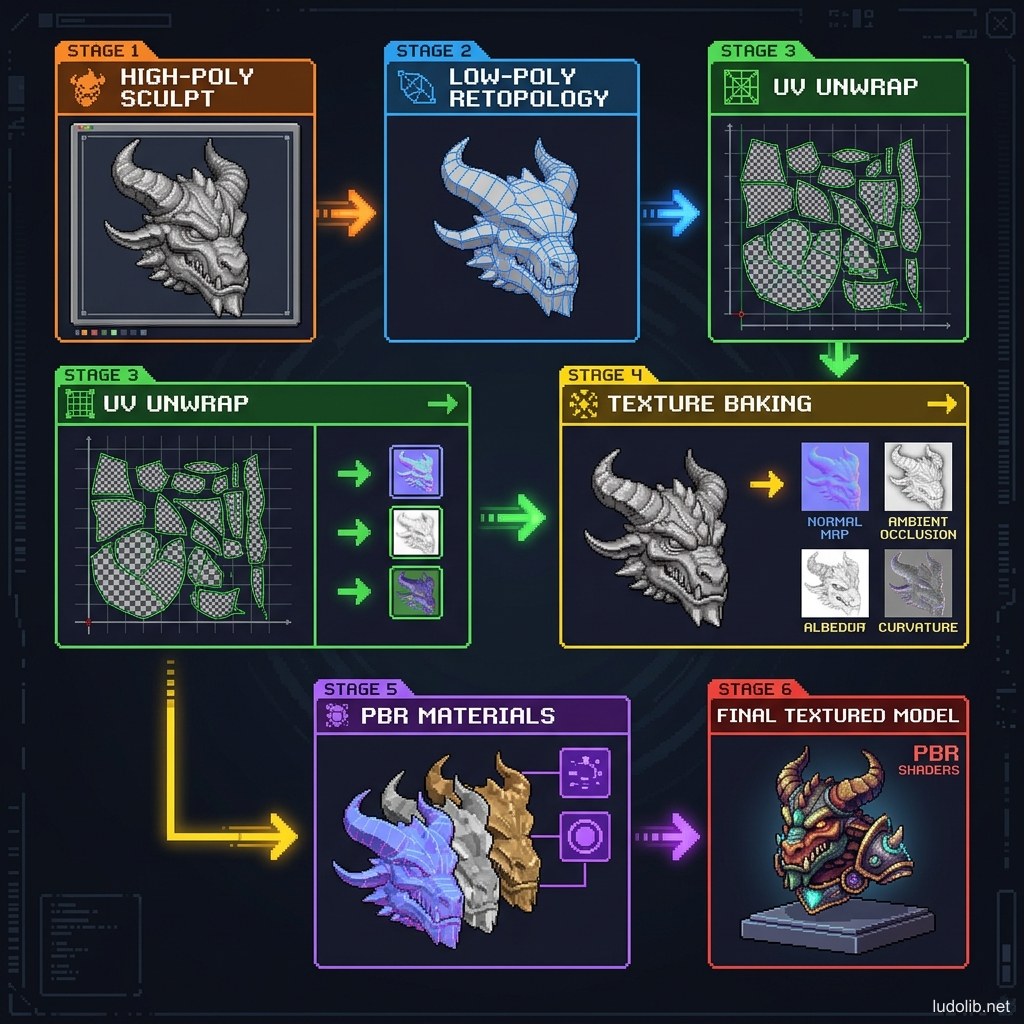
Core Concepts
| Step | Name | Purpose |
|---|---|---|
| 1 | High-Poly Sculpting | Create maximum-detail model (millions of polygons) using tools like ZBrush or Blender Sculpt |
| 2 | Retopology | Redraw a “clean” mesh with fewer polygons (Low-Poly), with edge flow structure suitable for animation |
| 3 | UV Unwrapping | ”Peel” the 3D model into a flat 2D map to determine texture positions |
| 4 | Texture Baking | Transfer detail from High-Poly to texture map form for Low-Poly — creating the illusion of high detail |
| 5 | PBR Texturing | Create texture map types according to Physically-Based Rendering standards |
| 6 | LOD Generation | Create lower-polygon versions for distant objects — optimizing performance |
Operating Principles
PBR (Physically-Based Rendering) — Modern Texture Standard
Rather than manually painting colors, PBR simulates how real materials react to light. A PBR asset typically includes [S1]:
- Albedo / Base Color: Basic surface color with no light or shadow.
- Normal Map: Simulates surface detail (scratches, pores) without costing polygons.
- Roughness Map: Surface matte/glossiness — skin is rough, mirror is glossy.
- Metallic Map: Which parts are metallic (strong reflection) and which aren’t.
- Ambient Occlusion: Darkness in crevice corners.
Polygon Budget
Each platform has its own render limits. Main characters in AAA games typically have [S2]:
- Main character (cutscene): 50,000–150,000 polygons
- Main character (gameplay): 10,000–30,000 polygons
- Background NPC: 2,000–5,000 polygons
- Small props: 100–500 polygons
LOD (Level of Detail)
Objects far from camera don’t need high detail. LOD systems automatically switch between mesh versions of decreasing complexity based on distance — saving significant GPU that players barely notice [S3].
Game Examples
- God of War (Santa Monica Studio, 2018) — Kratos has over 80,000 polygons for cutscenes, optimized to about 25,000 in gameplay. This is an especially high detail level for the PS4 generation.
- Minecraft (Mojang) — Complete opposite: the entire world is built from extremely simple cubes (Voxel). No retopology or PBR texture needed — proving art style can substitute for technical detail.
- Cyberpunk 2077 (CD Projekt Red) — Background NPCs in crowds are rendered at very low LOD when distant, but when approached closely, the system loads higher LOD. The famous launch bug (2020) was partly due to LOD streaming not working correctly on PS4/Xbox One [S2].
Trade-offs
| Aspect | Content |
|---|---|
| ✅ Advantages | Standardized pipeline helps large teams work in parallel efficiently. PBR textures are compatible with any lighting setup without redrawing. |
| ❌ Disadvantages | Long pipeline requiring many specialized software (ZBrush, Maya/Blender, Substance Painter). Errors in UV Unwrap cascade to affect all subsequent steps. |
| ⚠️ Common Pitfall | ”Texture Stretching” — poor UV unwrapping causes texture to stretch unevenly, especially visible on flat or uniformly curved surfaces. Always check UV seams before baking. |