
🎨 Watercolor Style in Games
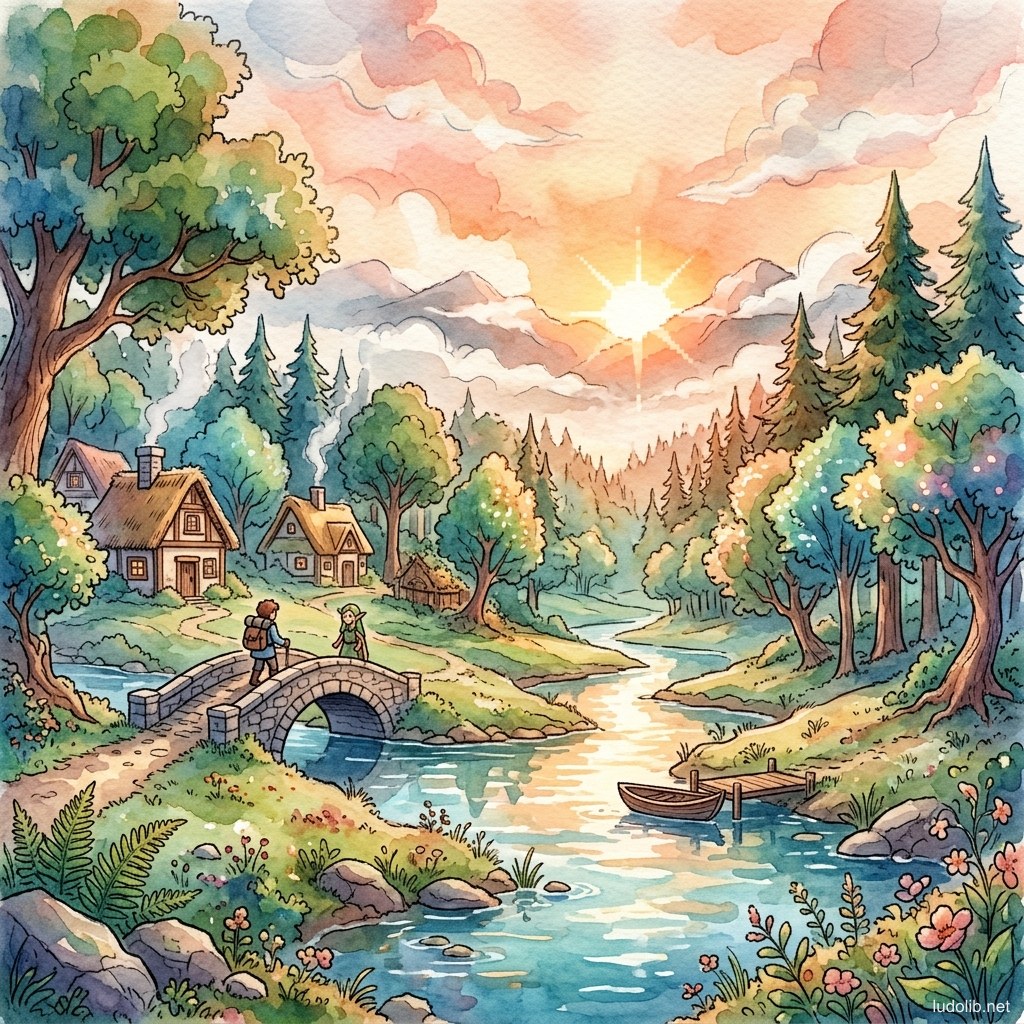
TL;DR: Watercolor Style simulates the aesthetic of watercolor painting — characterized by overlapping transparent color zones, soft bleeding edges (wet-on-wet bleeding), rough paper texture, and distinctive brushstroke quality. This style creates a dreamy, organic, and artistic feeling entirely different from ordinary digital graphics.
While often grouped with Painterly, Watercolor has its own distinct characteristics: colors are transparent (not fully covering the background), colors bleed at edges in an incompletely controlled way, and paper texture always shows through behind the thin color layers. This is the style most powerfully conveying the feeling of deliberate imperfection among traditional art forms.
Core Concepts
| Element | Characteristic | Digital Recreation Method |
|---|---|---|
| Wash (Color Bleed Layer) | Diluted color spread widely, transparent like stained glass | Multiply/Overlay blend layer with low opacity |
| Wet-on-Wet Bleeding | Colors bleeding into each other while wet — non-sharp, uncontrolled edges | Edge noise, blur mask, watercolor brush preset |
| Paper Texture | Rough paper grain — cotton, cold press — showing through thin color layers | Paper texture overlay, multiply blend |
| Dry Brush | Dry brush creating discontinuous strokes — brush fibers separating | Textured brush, low opacity scatter |
| Backrun (Blooms) | Darker color zone at edges when the color layer dries — inimitable characteristic | Hard edge at outer boundary of wash |
| Limited Linework | Light ink brushstroke — not the hard outline of comics | Ink wash style, variable width brush |
Operating Principles
Watercolor Recreation Techniques in Games
Unlike claymation which can be done in 3D, Watercolor typically requires artists to actually paint by hand or combine multiple techniques [S1]:
Method 1 — Traditional Scan: Paint real watercolor → scan → digitize → integrate into game. Highest quality but most time-consuming.
Method 2 — Digital Watercolor: Use Procreate, Clip Studio Paint with specialized watercolor brush presets. Good results, more controllable.
Method 3 — Post-process Watercolor Shader: Apply watercolor filter to 3D render — popular in small games wanting watercolor look without hand-drawing each asset.
Transparency and Layering
The secret of watercolor is layering multiple transparent layers [S2]:
- Layer 1: Lightest wash — defining overall color
- Layer 2: Deeper wash for shadows and volume
- Layer 3: Deepest color accent at the form’s center
- Final: Ink brushstroke defining form
Each layer in Multiply or Color Burn mode to maintain transparency.
Game Examples
- Okami (Clover Studio, 2006) — The classic — game using Japanese ink painting (sumi-e) aesthetic combined with watercolor. When performing a special technique, the screen switches entirely to brush-painting style.
- Sunless Sea (Failbetter Games, 2015) — Map background and artwork painted in ink wash + watercolor style — evoking the feeling of ancient exploration maps.
- Botany Manor (Balloon Studios, 2024) — Environment concepts and many UI elements use watercolor illustration — creating a warm, academic botanical journal feeling.
- Japanese Visual Novels — Visual Novel genres frequently use watercolor character illustrations for CG scenes.
Trade-offs
| Aspect | Content |
|---|---|
| ✅ Advantages | Creates the highest artistic and aesthetic feeling among game styles. Perfectly suited to cozy, slice-of-life, mystery, romance genres. |
| ❌ Disadvantages | High production cost if done with real watercolor. Hard to animate — watercolor frame-by-frame is extremely labor-intensive. Not suitable for high-speed action games (loses readability). |
| ⚠️ Common Pitfall | ”Digital filter” — using Photoshop/Procreate watercolor filters excessively creates results that look fake and flat. Quality watercolor must have the artist’s character — not just a filter overlay. |